Your Google Business Profile is the free listing that decides how your business shows up on Google Maps and in local search. It is the foundation everything else in local SEO sits on. Set it up properly and keep it active, and you give yourself a genuine shot at the local 3-pack. Leave it half-finished and you are invisible to people who are ready to buy.
This guide walks through setting up a profile from scratch, verifying it, and then the ongoing work that actually moves the needle. It pairs with our guide to local SEO for SA small businesses.
Setting up your profile, step by step
1. Sign in and open Business Profile Manager
Log in with the Google account you want to own the listing (use a shared company account if more than one person needs access, so you are not tied to one personal Gmail). Then go to google.com/business and choose "Manage now" to start.
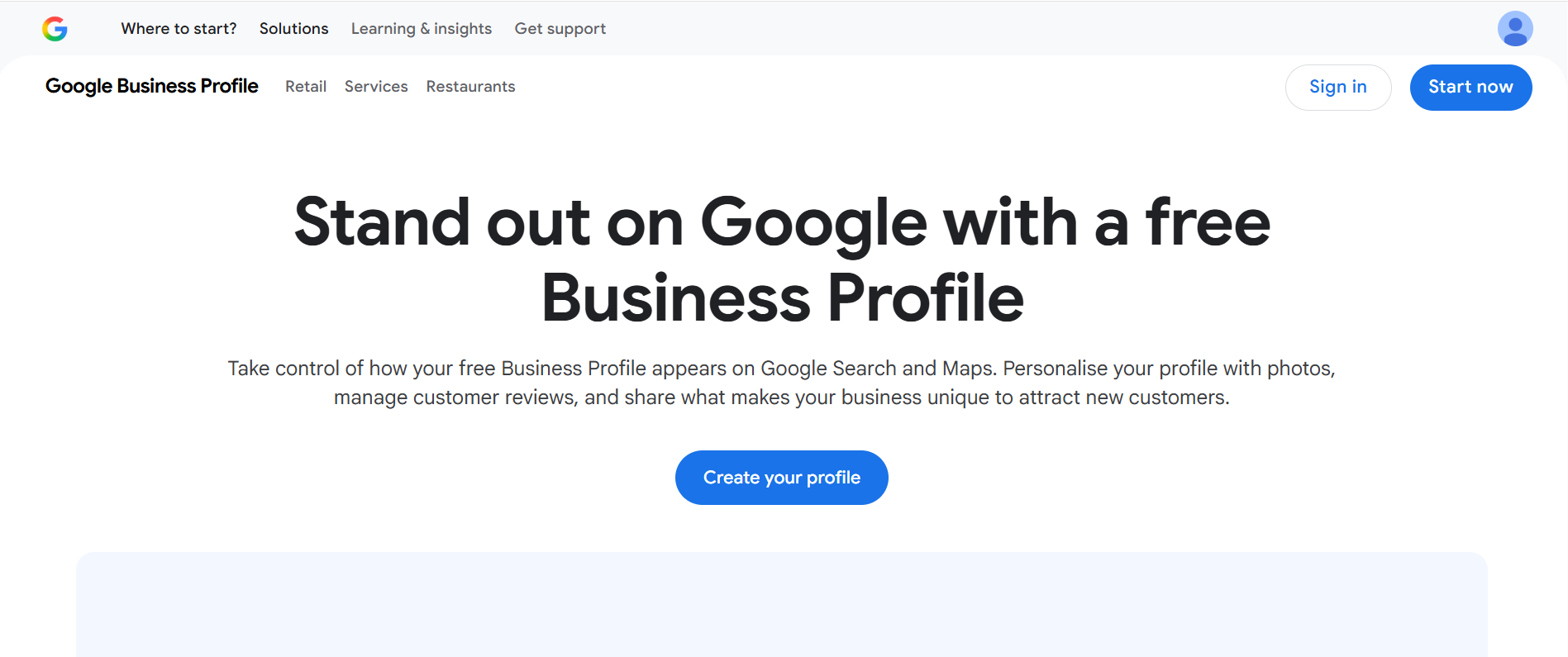
2. Enter your business name
Start typing your business name. If Google already has a listing for you (it sometimes auto-generates them), claim that one rather than making a new one. Duplicate listings confuse customers and hurt your ranking. If nothing exists, carry on to create a new profile.
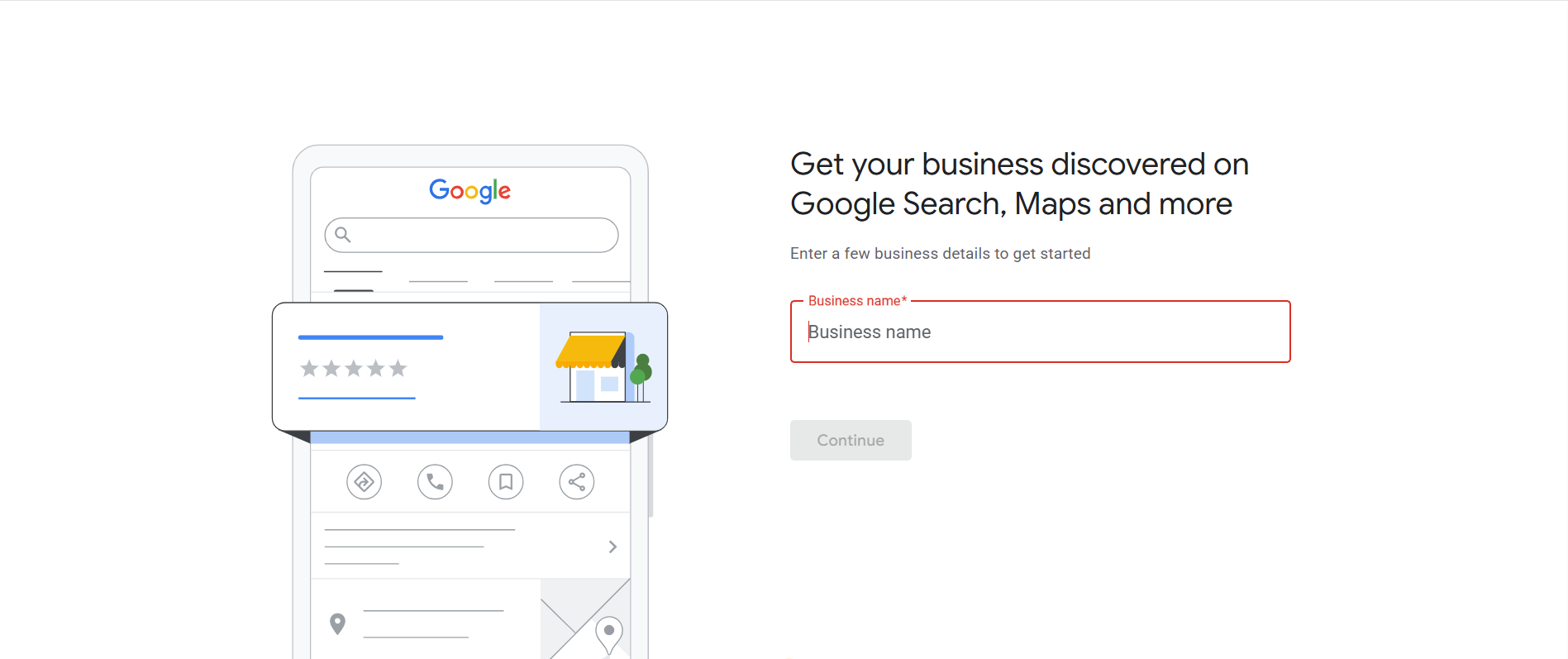
3. Choose your business type
This is a step many older guides miss. Google now asks what kind of business you are, and your answer shapes the rest of the setup:
- Online retail — customers buy from you through your website.
- Local store — customers visit you in person at a storefront.
- Service business — you travel to your customers (plumbers, cleaners, mobile businesses).
You can tick more than one if they apply. This choice decides whether Google asks you for a street address, a service area, or both, so pick honestly.
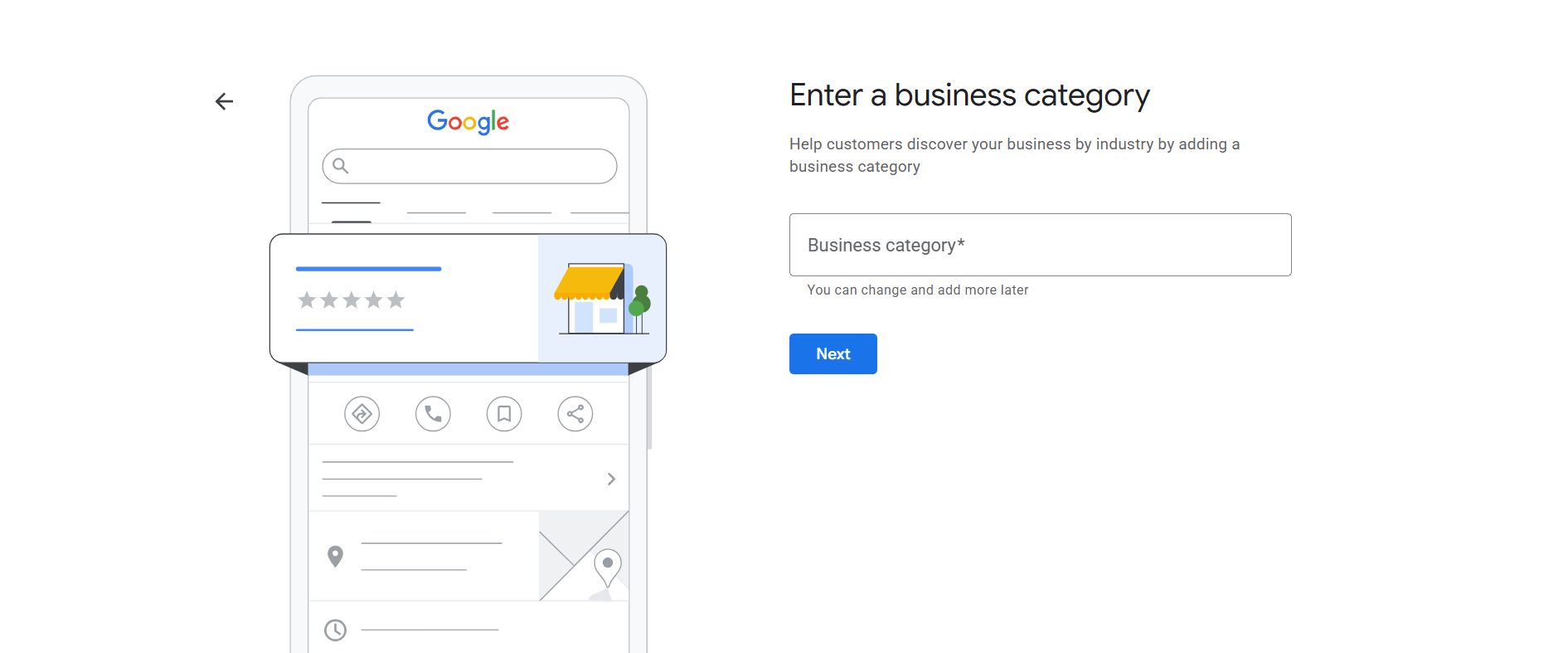
4. Choose your business category
This is the most important setup choice, because your category is a major ranking factor. Pick the most specific option that matches your main service, "Plumber", "Hair Salon", "Caterer". You can add secondary categories afterwards and change it later, but the primary one should be your core business. You cannot invent custom categories, so choose the closest fit Google offers.
5. Add your address, or set your service area
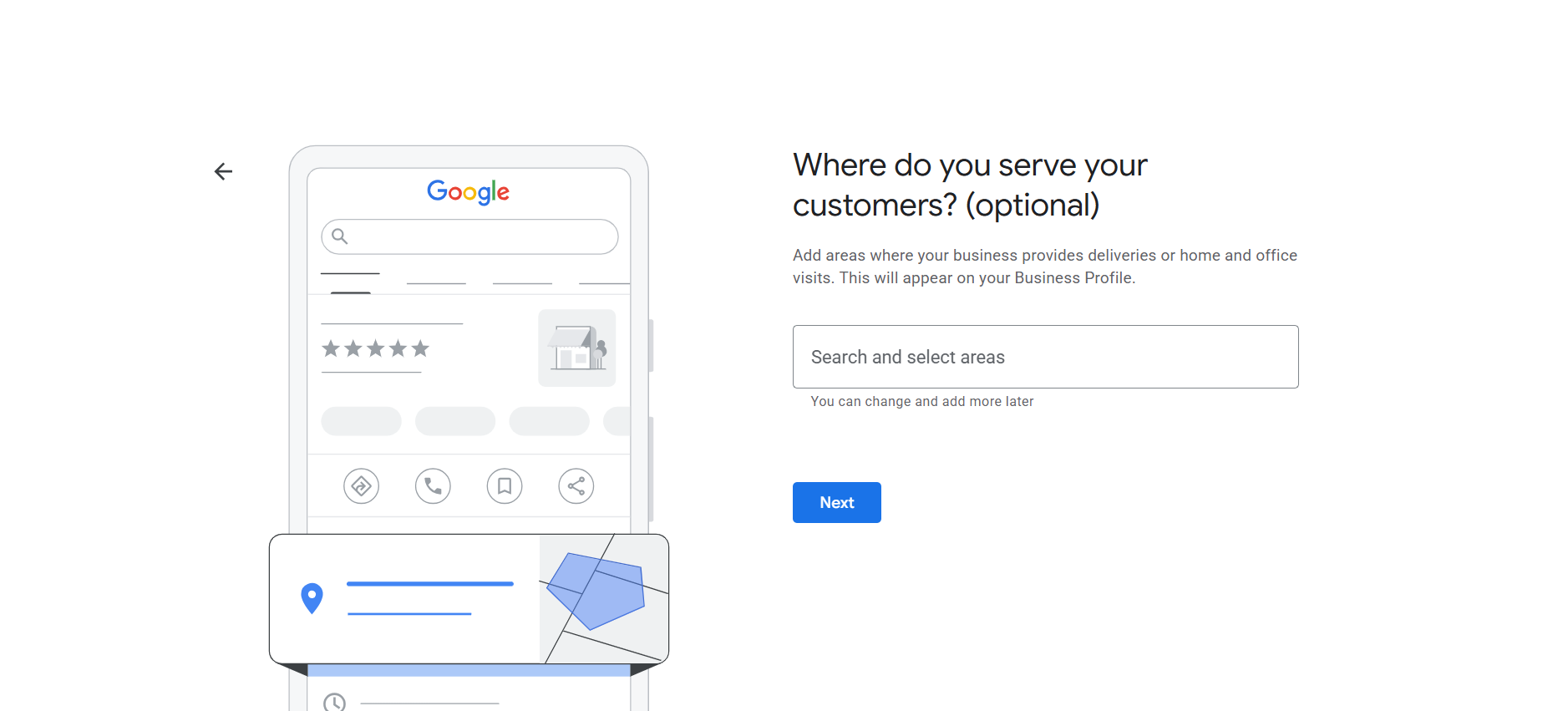
If customers visit you, enter your exact street address and drag the map pin onto your building. If you work from home or travel to customers, you can hide your address and instead set a service area, the towns and suburbs you cover, say Sandton, wider Johannesburg, and Pretoria. Google may still need an address for verification, but it will not show publicly. This is a lifesaver for the many SA businesses that are home-based or mobile. Be realistic; do not list the whole country if you work one province.
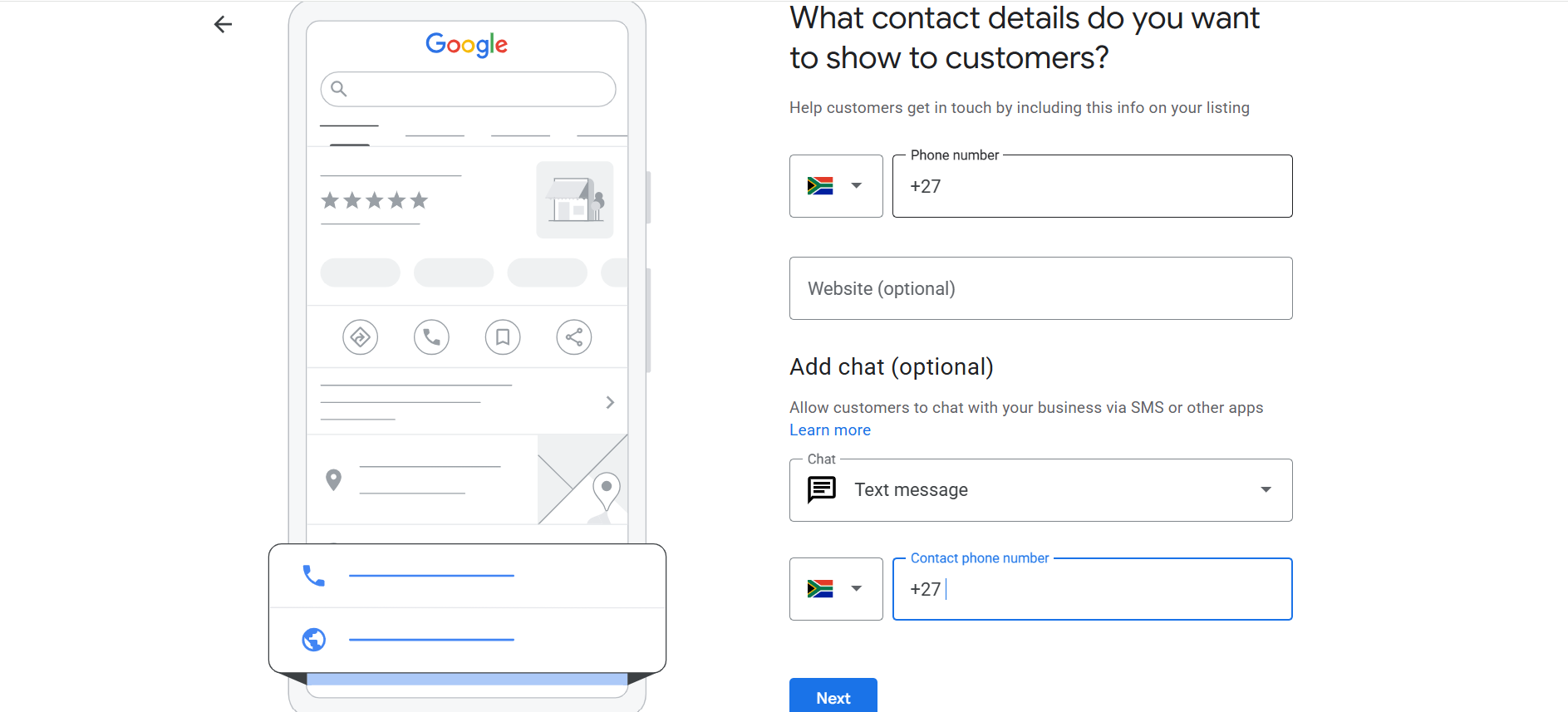
6. Add your contact details
Add a local phone number that gets answered in business hours, and your website URL. Google also lets you turn on chat here, so customers can message you by text straight from your listing, worth enabling only if you will actually reply. A website is not required, but it helps your credibility and your SEO, so it is worth having one.
7. Fill in everything else
This is where most profiles fall short. Add your business hours (including special hours for public holidays), a clear description, your services or products, your opening date, and photos. A few notes:
- Description: up to 750 characters. Write it to convince a customer, not to stuff keywords, because the description is not a ranking factor. Something like: "A family-run florist in Durban with 25 years of experience, offering wedding bouquets, same-day local delivery, and native South African flowers."
- Services: list them out. This is a legitimate place to include the terms customers search for, and it shows people exactly what you do.
- Opening date: if you have been around a while, this shows a "X years in business" badge that builds trust.
- Photos: add a clear square logo, a cover photo, and plenty of shots of your premises, work, and team. Listings with lots of photos get far more calls and website clicks, so start with at least eight to ten good images and keep adding.
8. Verify your business
An unverified profile will not show properly, so this step is not optional. Click "Verify now" and Google will offer one or more methods (which ones depend on your business and category):
- Video is now the default for many new profiles. Google asks you to record a short video or do a live call showing your premises, signage, and equipment, to prove your business exists and sits where you say it does. Show details that tie to your exact business name.
- Phone or SMS sends a code to your business number, entered on the screen. Fast when it is offered.
- Email sends a code or link to your business email.
- Postcard by mail is largely phased out as of 2025, which is good news given how unreliable postal delivery can be here.
Verification usually takes anywhere from a few minutes (phone) to a few days (video). Until it is done, some features stay locked.
Optimising your profile once it is live
Setup is the start. The businesses that win the 3-pack keep their profiles active. Spend a few minutes each week or month on the following:
- Keep everything current. Update hours for holidays and closures, and refresh your services when things change. Google rewards well-maintained profiles, and stale info erodes customer trust fast. If you go quiet, Google (or random users) may "correct" your listing for you, sometimes wrongly.
- Add photos regularly. A few new images a month keeps the profile fresh and gives Google a signal that you are active. Show different angles: interior, exterior, products, team, before-and-after. Keep them clear and honest, no heavy filters.
- Use Google Posts. These are free mini-announcements on your profile: a special offer, a new product, an event, a seasonal update. They do not directly lift your ranking, but they catch the eye and give someone a reason to pick you over a competitor whose listing looks abandoned. Post weekly or a few times a month, lead with the key info, and add a photo. This is also exactly where you can link back to a helpful blog post.
- Build reviews on purpose. Ask happy customers for a Google review and send them your review link by WhatsApp or email. Aim for a steady flow, and reply to every review, good and bad. Around 89% of consumers are more likely to choose a business that responds to all its reviews. There is more on reviews in our Google Maps ranking guide.
- Add products, menus, and attributes. If you sell products, load them with images and prices. Restaurants should add a menu. Then work through the attributes Google offers for your category, "wheelchair accessible", "free Wi-Fi", "women-owned", and tick the ones that apply. None of these are big ranking factors, but they help the right customers find and choose you.
- Keep it consistent with your website. Your name, address, phone, and hours should match exactly on your site, your profile, and everywhere else. Embed a map on your contact page, and make sure your site loads fast on mobile. Your profile and your website pull in the same direction when they agree.
None of this is complicated. It is a habit: post an update, reply to reviews, add a photo, check your details. Done consistently, it puts you ahead of the many local competitors who set up a profile once and never touched it again.
Not sure your profile is pulling its weight?
We set up and optimise Google Business Profiles for South African small businesses, and back them with a website that converts. Start with a free audit.
Frequently asked questions
Is a Google Business Profile free?
Yes. Creating, verifying and managing your Google Business Profile is completely free. It is the single highest-return free tool for local visibility in South Africa.
How long does verification take?
It depends on the method. Phone or SMS can be instant; video verification usually takes a few days while Google reviews your recording. Until you are verified, your profile will not show fully.
Do I need a physical address to be listed?
No. If you work from home or travel to customers, choose a service-area business, hide your address, and list the areas you cover. Home-based and mobile businesses can still rank.
What is the "business type" step?
Google asks whether you are online retail, a local store, or a service business. Your answer decides whether it asks for a street address, a service area, or both. Older setup guides often skip it because it is a newer part of the flow.
How often should I update my profile?
Log in at least monthly to check your details, add a photo, reply to reviews, and post an update. Active profiles rank and convert better than ones left untouched.