Short version: connecting Yoco to Shopify is the simplest of the local gateways, there's no API keys or Merchant credentials to copy anywhere. You start the install from your Yoco account, install the app on the Shopify side, then flip one switch back in Shopify to activate it. This guide covers the full install, what it actually costs, and fixes for the errors that do come up.
If you've read our guide on setting up a Shopify store in South Africa, you'll know Shopify Payments doesn't work here, so you need a local gateway. We've also covered connecting PayFast, this post is the same deep dive for Yoco, which works quite differently.
Before you start
You'll need two things already in place:
- A Yoco account with your business profile completed (sign up at yoco.com if you don't have one yet). Yoco needs to run its verification checks before online payments will work, so it's worth doing this a day or two before you plan to launch.
- A live or trial Shopify store.
Step 1: Start the install from Yoco, not Shopify
Same pattern as PayFast, the install starts on your gateway's side, not Shopify's app store.
- Log in to the Yoco Web App (mobile or web), using the correct business profile.
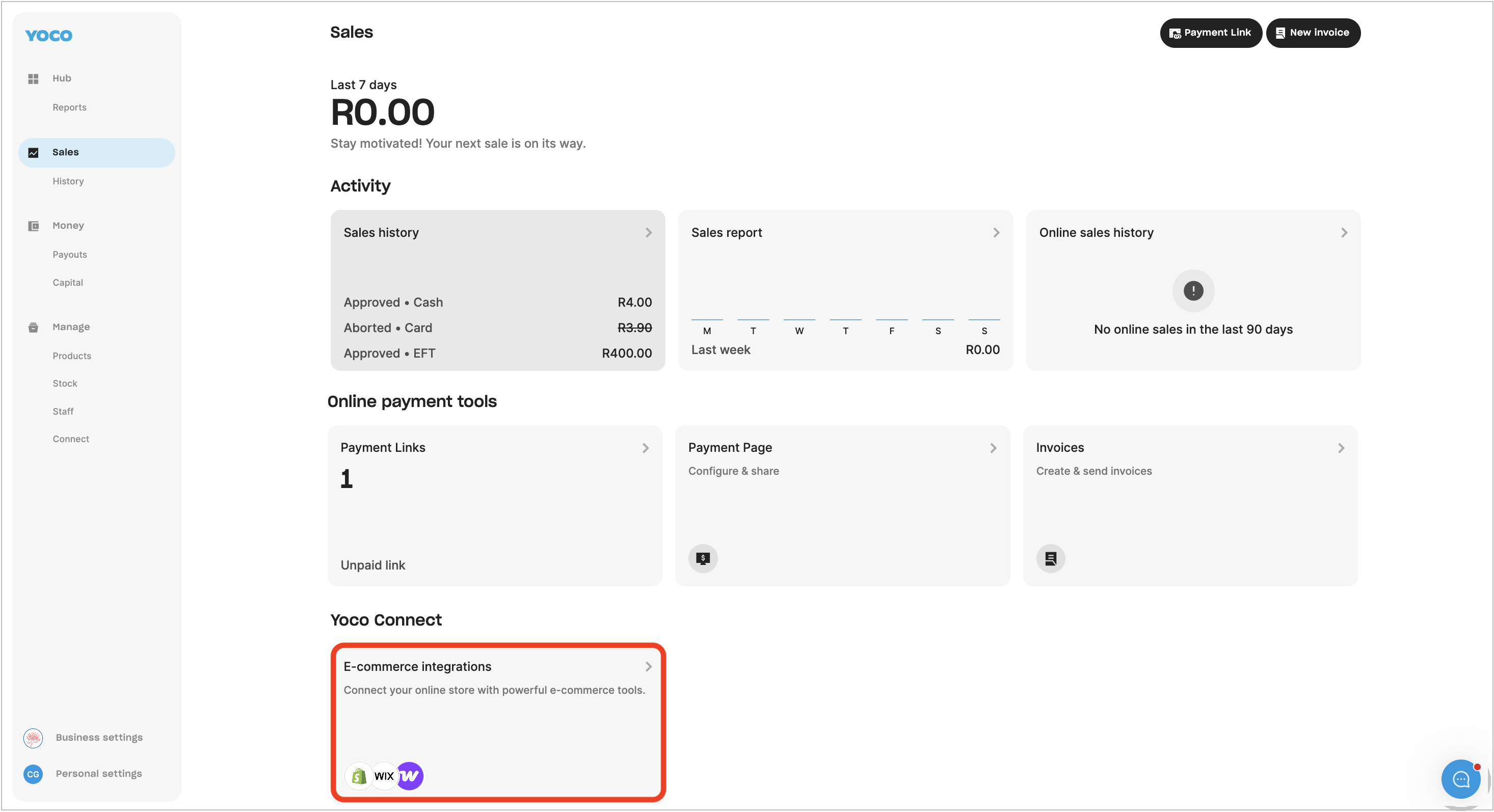
- Go to the Sales tab, and select e-Commerce integrations.
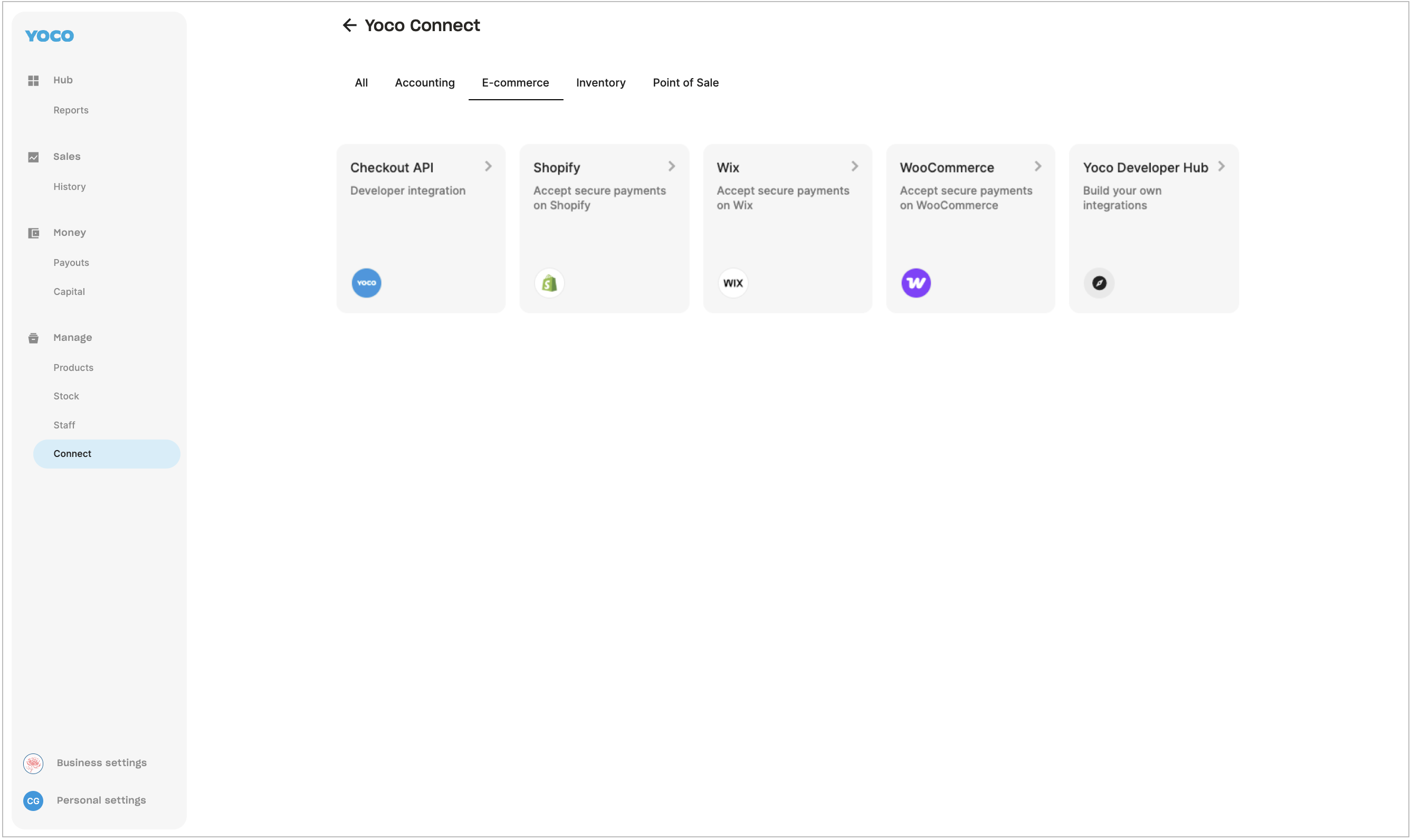
- Select the Shopify tile.
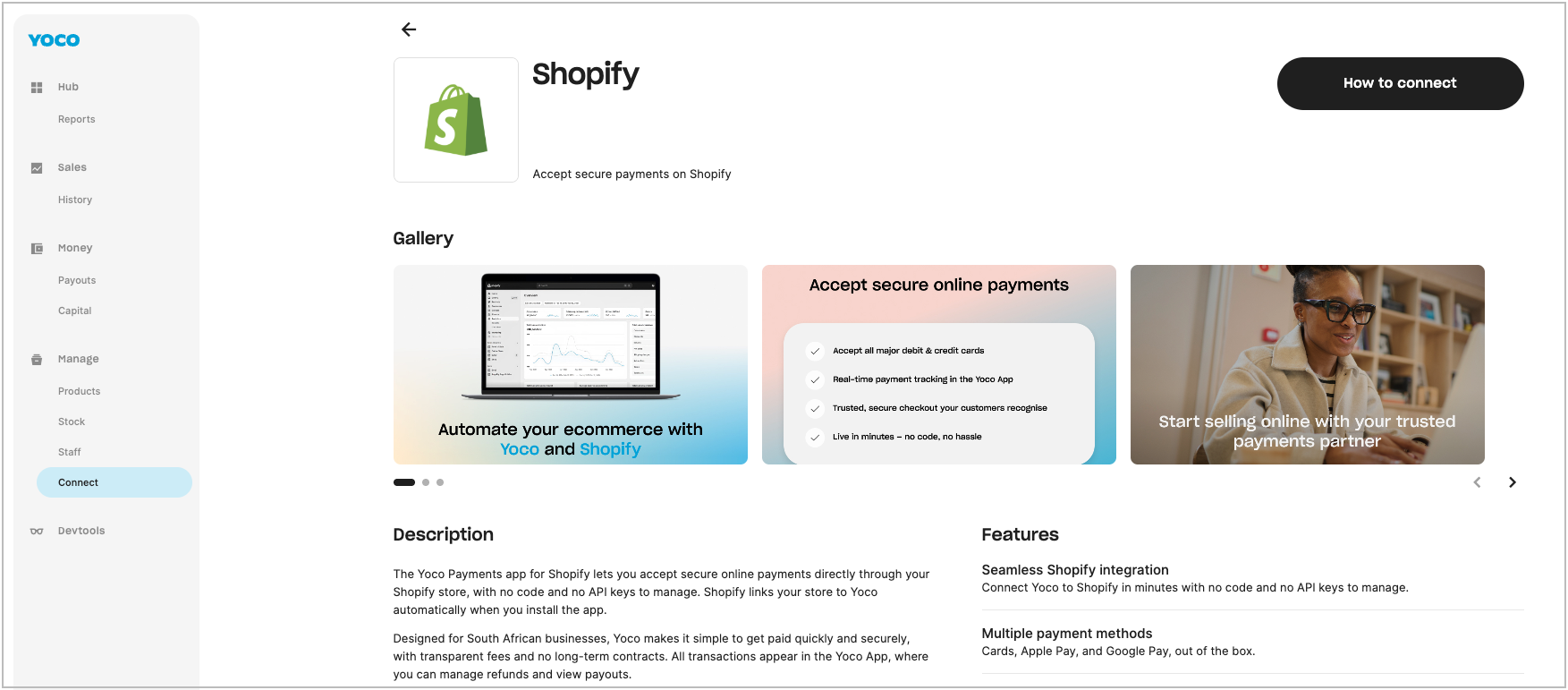
- Select How to Connect. This redirects you to the Yoco Payments app listing on the Shopify App Store.
- Click Install, and review the permissions Shopify shows you.
Step 2: Activate Yoco inside Shopify
This is where Yoco is genuinely simpler than PayFast, there's no Merchant ID, no API key, nothing to copy and paste between the two dashboards.
- Back in your Shopify admin, scroll to the bottom of the payments screen.
- Click Activate Yoco.
- Run a test payment of at least R2.00 to confirm everything's working, and check that your correct business name shows on the Yoco checkout page.
Your store is now linked, and customers can pay with Visa and Mastercard debit and credit cards, plus Apple Pay and Google Pay on supported devices. You and the customer both get a payment confirmation email after every successful transaction.
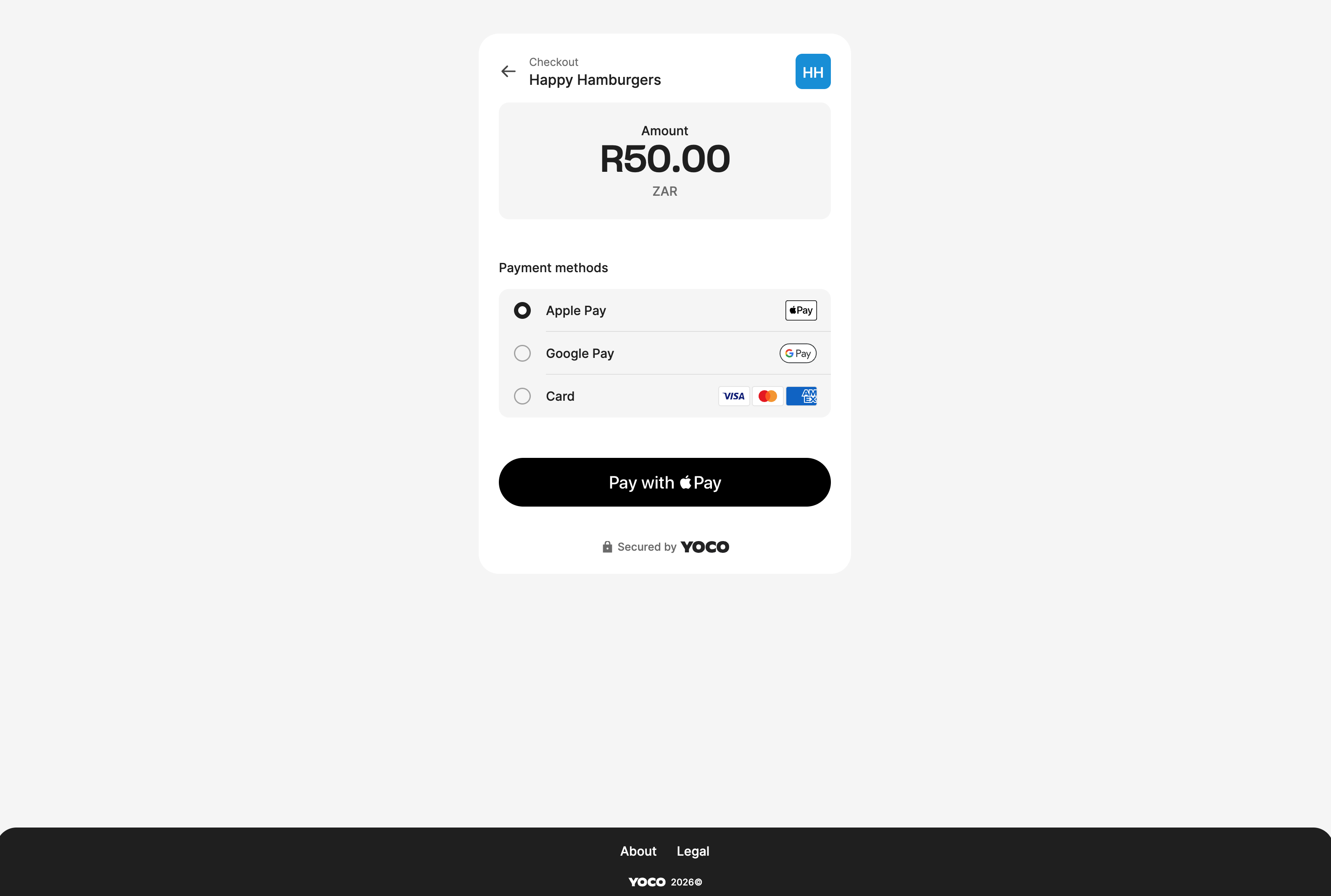
What your customer sees at checkout, Apple Pay, Google Pay and card, all secured by Yoco.
What Yoco actually costs
Yoco's pricing runs on plans, not a single flat rate, and it's worth knowing the real structure before you pick a gateway:
| Plan | Monthly fee | In-person rate (up to R50k/mo) |
|---|---|---|
| Core | R0/mo | 2.30% |
| Plus | R249/mo | 2.10% |
| Pro | R499/mo | 1.95% |
All three step down further once your monthly volume passes R50k, and again above R200k. Online transactions (which is what your Shopify checkout uses) run roughly 0.5% higher than the in-person rate shown above, by Yoco's own numbers. So a new store on the free Core plan, doing under R50k a month, is realistically looking at somewhere around 2.8% to 3% per online sale, not a single fixed number, it moves with your plan and your volume.
For comparison, PayFast charges roughly 3.2% to 3.5% plus R2 per transaction with no monthly fee at all. Yoco's free Core plan can undercut that on percentage alone once you're past a small handful of sales a month, but PayFast supports more local payment methods (Instant EFT, mobicred, Zapper, Payflex) alongside cards. Which one wins for you depends on your volume and how your customers prefer to pay.
Common errors and how to fix them
"This business can't take online payments yet"
This means Yoco is still running background verification checks on your account, it isn't something wrong with your Shopify setup. In most cases you don't need to do anything, online payments switch on automatically once the checks finish. If this message is still showing after 24 to 48 hours, contact Yoco support.
"Something went wrong, please contact support"
Check the transaction amount. Yoco has a minimum online payment of R2.00, anything below that will fail with this message.
"3D Secure authentication has failed"
This is almost always the card being declined, not a fault on your store. Common causes: incorrect card details, insufficient funds, the customer's bank doesn't support 3D Secure, or their bank is experiencing downtime. One thing worth knowing if you get a support query about this: Yoco's own data shows Capitec cards have a noticeably higher rate of 3D Secure failures than other South African banks, so it's not always something you or the customer did wrong.
Customer says they paid, but the Shopify order shows "incomplete"
This happens when the connection to Yoco's servers drops mid-confirmation, after the card's already been charged. To resolve it:
- Log in to the Yoco Web App, go to Sales, then Sales history.
- Find the transaction and check its Status column.
- If it shows as approved, manually mark the order as paid on your Shopify store.
- If it doesn't show as approved but the customer insists it went through, ask them for proof of payment and raise it with Yoco support via their in-app chat.
If you ever need to remove Yoco
In Shopify, go to Settings, then Payments. Scroll to the bottom of the Yoco section and click Uninstall Yoco.
Rather not deal with any of this yourself?
We set up Yoco (or PayFast, or Peach) on Shopify stores properly the first time, as part of every build we do.
Quick answers
Do I need API keys to connect Yoco to Shopify?
No. Yoco's Shopify integration is fully automatic, once you install the app and click Activate Yoco in your Shopify payments settings, there's nothing to copy or paste.
How much does Yoco cost on Shopify?
There's no fixed number, it depends on your plan and monthly volume. The free Core plan runs about 2.8% to 3% per online sale for stores doing under R50k a month, dropping on the paid Plus and Pro plans and again at higher volumes.
Why does my Shopify order say "incomplete" even though the customer paid?
Check the transaction's status in Yoco's Sales history. If it shows as approved, the connection likely dropped after the charge went through, manually mark the order as paid in Shopify.
What's the minimum payment amount Yoco will process?
R2.00. Anything below that will fail with a generic "something went wrong" error.
Want it set up right the first time?
Conversion-ready Shopify stores for South African businesses, from R5,999.